Business Map
Thursday 15 October 2026
What changed since yesterday
3 new emails28 open tasks12 jobs ran overnight9 to review
Email, calendar, contacts, projects, invoices, receipts and bank transactions in one place, connected by local AI that runs on your own Mac.
What changed since yesterday
The agent reads your mail, contacts, projects, finances and notes, and shows each step and every record it used. It runs on a local model, so the question and the answer stay on your Mac.
A replay with the example data. In the app, the agent answers live from your own workbench.
Receipts are read, replies are drafted and downloads are sorted while you work on something else. Each result waits for your OK before it changes anything.
Hamburg Hbf – Lüneburg
1 Erwachsener, 2. Klasse, Hin- und Rückfahrt
Projects, companies, contacts and invoices are linked from your records and documents. Pick any of them to see who it works with, what it billed and which project it belongs to.
Pick any two entities and see the chain of people, projects and invoices between them.
Follow Kessler Maschinenbau GmbH through the workbench. Every step below is in the example data you can open at the top of this page.
Hannes from Kessler Maschinenbau asks whether their spare-parts stock could follow a forecast. The workbench files the email under a new company and a new contact.
Moin Lena, we hold too many parts for some machines and run out of others when a customer's line is down. Could you look at our service data and tell us what to stock?
Create the project from the email. It starts in Planning with its budget, and the follow-up tasks are already on your list.
Move the card to Active. The project gets its timeline and a client folder, and documents for it are sorted there from now on.
Tasks are grouped by context, so data work and workshop prep don't mix. Progress rolls up to the project.
R-2026-018 is written from the logged hours, with VAT split out per line and the due date set.
Kessler Maschinenbau GmbH
Industriestraße 12, 21337 Lüneburg
| Spare-parts forecasting, milestone 345 h at €120.00 | €5,400.00 |
| VAT 19% | €1,026.00 |
| Total | €6,426.00 |
The bank transfer is matched to the invoice by its number. The invoice marks itself as paid, four days after the due date.
Net income and VAT land on their own lines, ready for the VAT return and for your accountant.
Moin Lena, we hold too many parts for some machines and run out of others when a customer's line is down. Could you look at our service data and tell us what to stock?
Every scheduled job follows the same five steps, from a trigger to a result you can check. Pick a job below and run it to see what each step does.
A schedule in macOS launchd starts the job: an interval or a cron time. Nothing has to stay open.
The job pulls what is new since its last run: mail, calendars, the Obsidian vault, downloads or bookmarks.
Where a job needs judgement, a local model reads, classifies or summarises. Plain syncs skip this stage.
Results are written as proposals: drafts, matches, categories, moves or index updates.
Imports apply directly. Anything that sends, moves or files waits in a review queue until you apply it.
Every run is logged with what it read and what it changed, so you can always check what happened overnight.
The app is built so that work flows one way: the automations produce it, you check it, and then you use it.
Scheduled jobs collect new data and do the reading, matching and drafting. Evaluation shows how well the AI steps do.
Every table where results land: tasks, projects, contacts, companies, emails, transactions, receipts and invoices. You verify, fix or reject.
The agent, search and actions work on data you have already checked, so answers rest on records you trust.
Your data comes in, gets processed and stays on machines you own. Your Macs keep each other in sync, your phone reaches them over your private network, and a daily archive keeps every version safe. A cloud model is an option you switch on per task, not a requirement.
Off. Nothing leaves the Mac.
Twenty-three seconds of the workbench running on a Mac with the same example data. Jump to any part.
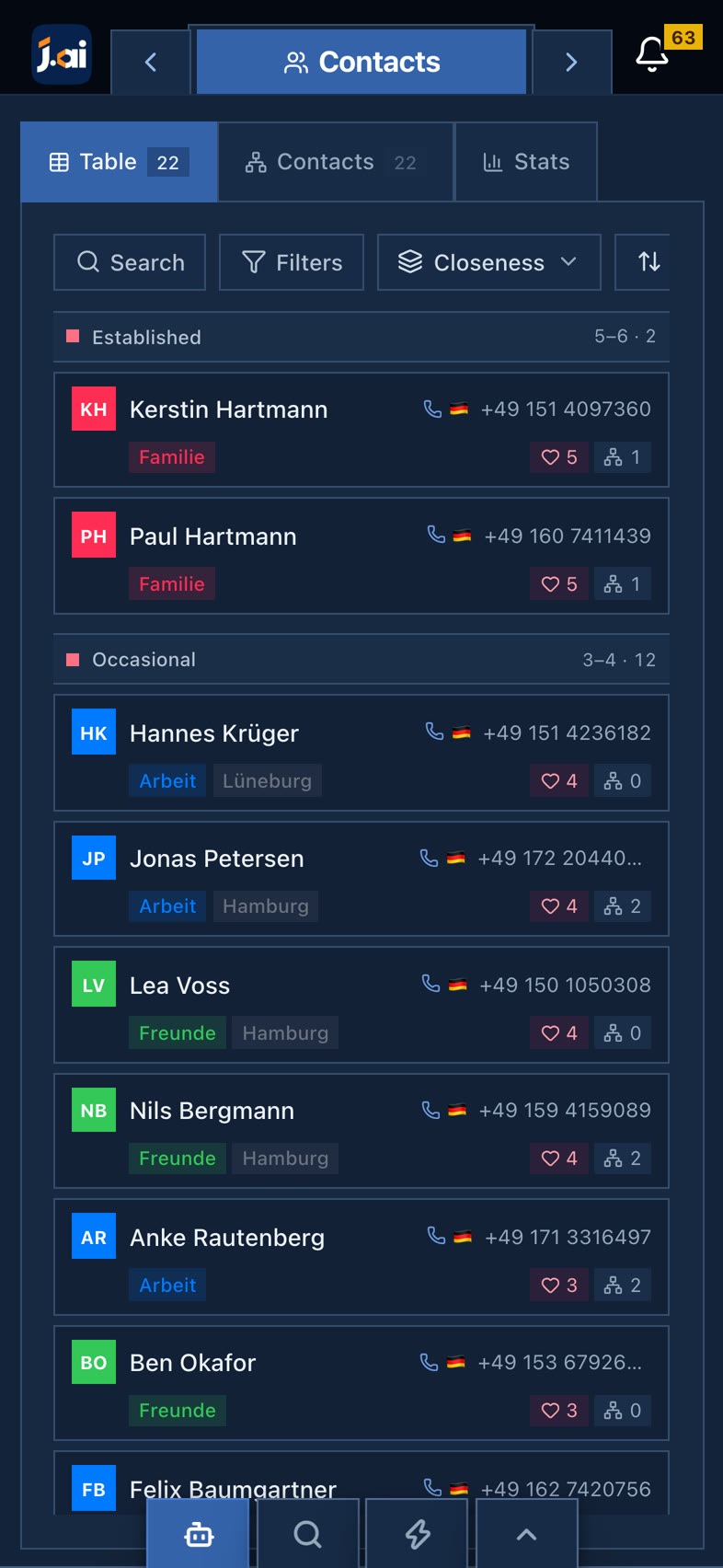
The phone layout turns invoices, transactions, tasks and projects into cards you can work through with one thumb. Swipe the phone or pick a screen.
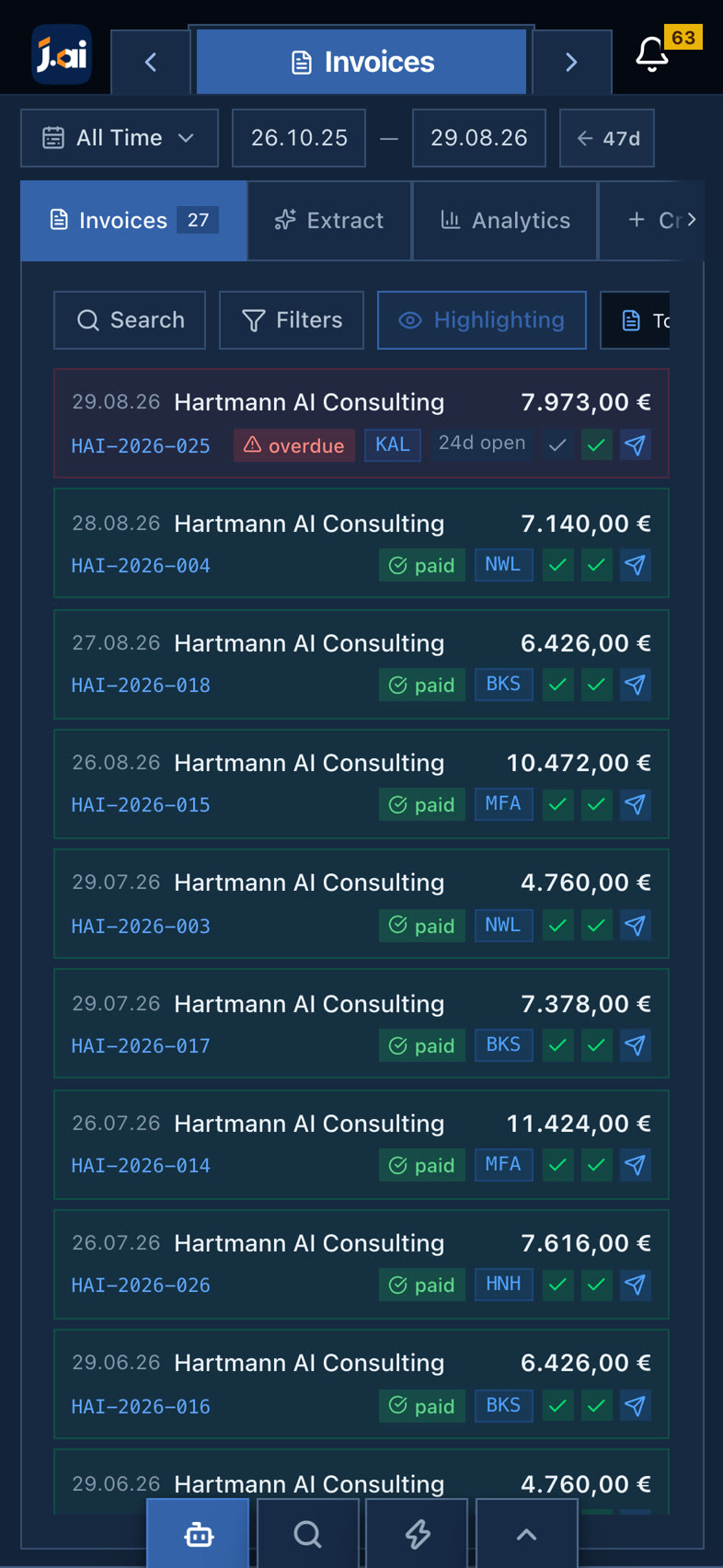
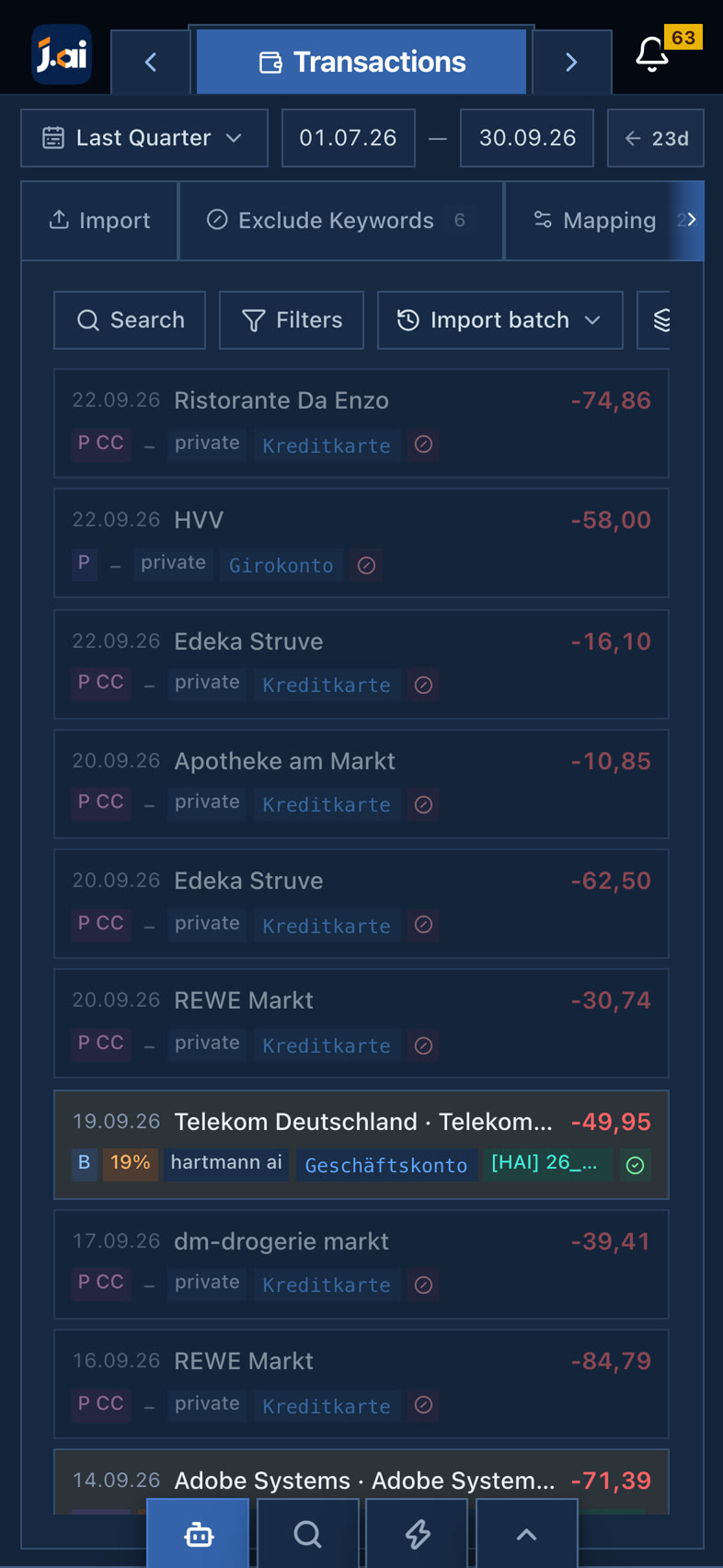
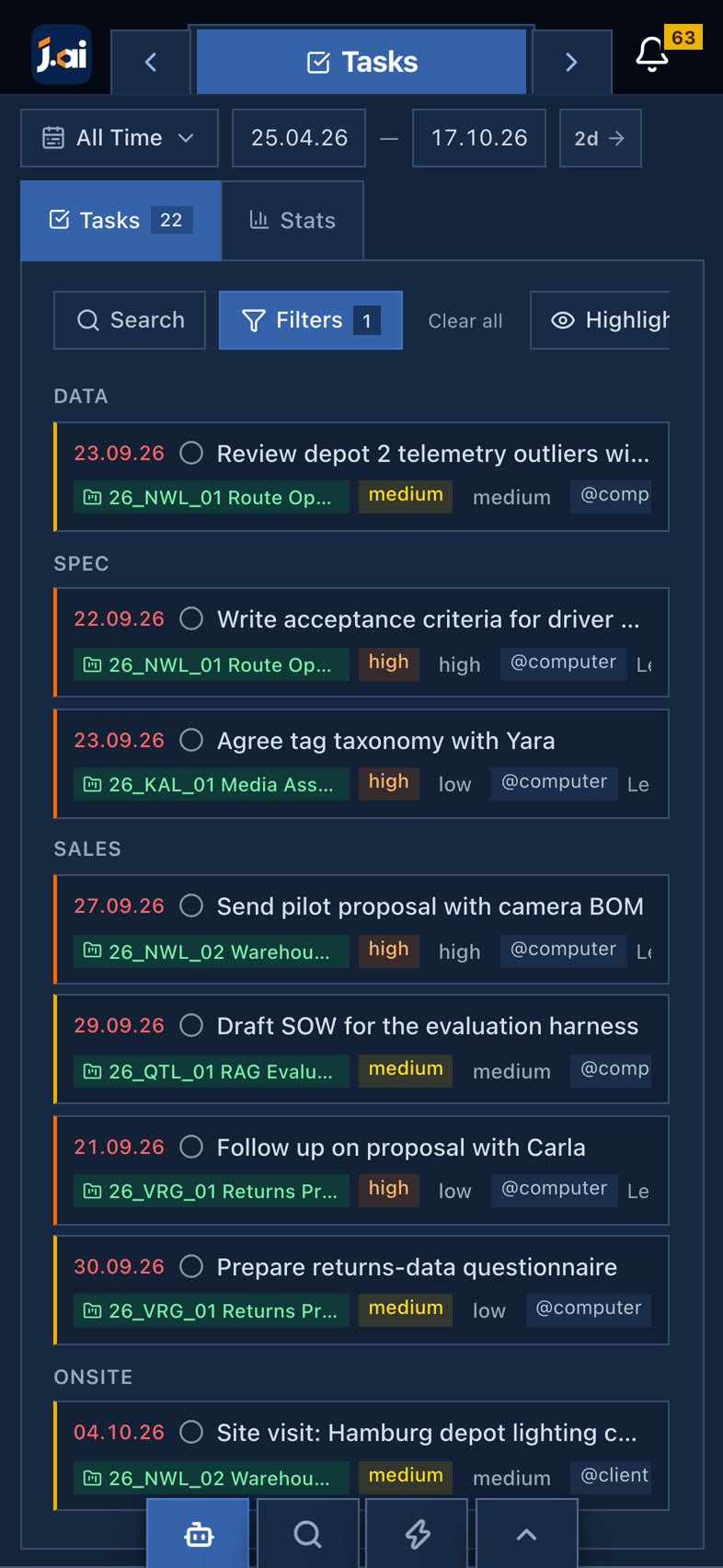
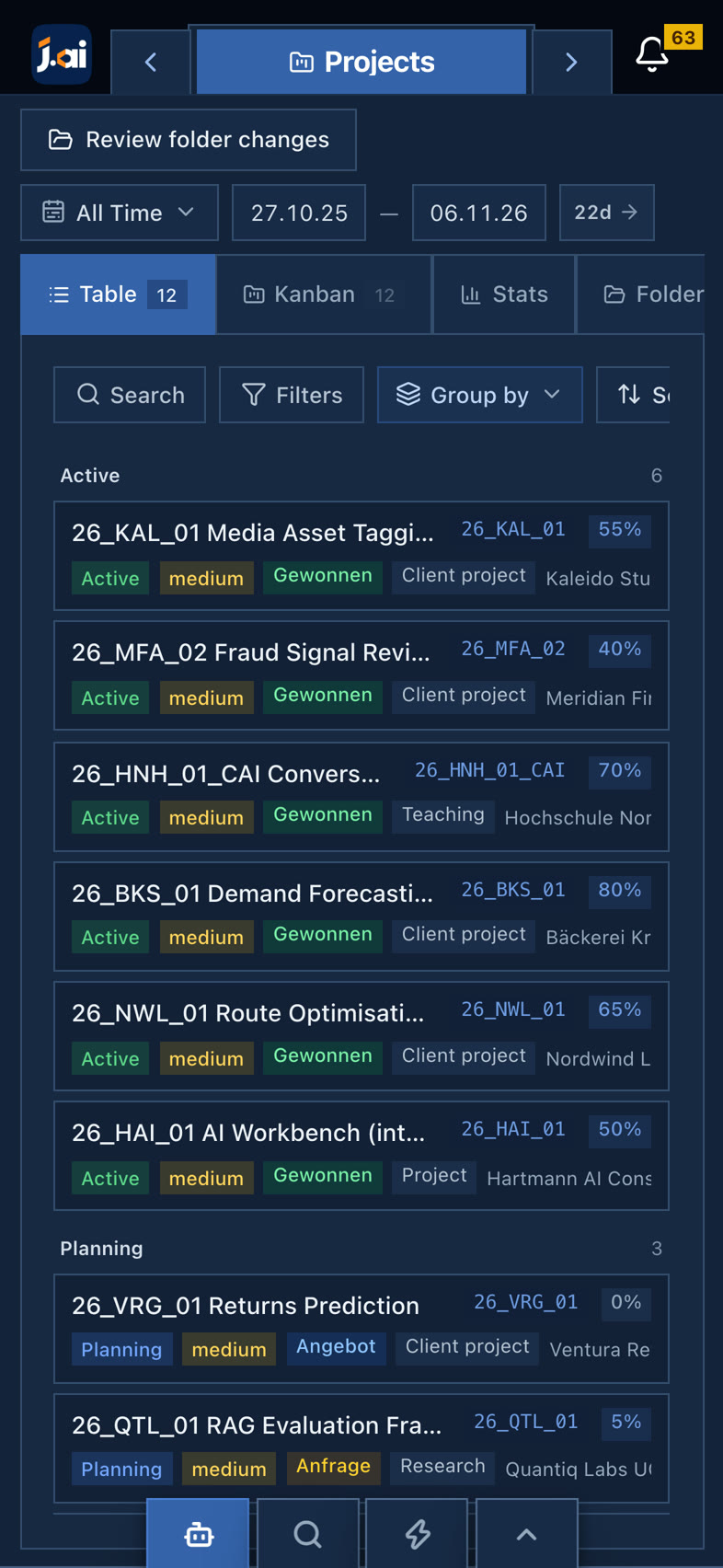
A watch app is in the works. Capture a thought by voice, see what today holds and approve what the automations prepared, without opening the laptop.
A preview of a planned feature with example data. Details may change before release.
Freelancers and consultants who run their own business: client work, the paperwork around it, and the knowledge it produces, in one place.
The workbench, its database, its search index and its models run on your Mac. Mail, calendar and bank data are synced to your machine, not to a J.AI server. Optional cloud models through AWS Bedrock can be switched on per task.
Local language models run through Ollama, with a model chosen per task. Receipts and scans are read with on-device OCR, and Whisper transcribes voice notes.
Plain imports such as calendar and contact syncs apply directly. Anything that sends, moves or files, like reply drafts or the File Sorter, waits in a review queue until you apply it. Every run is logged.
The records and documents in your workbench, read on your Mac. Each answer lists the records it used, so you can open and check them.
No. Everything on this page, including the working replica and the agent replays, uses the example data of a fictional consultancy, Hartmann AI Consulting. Nothing you click is sent anywhere.
Yes. The phone layout has card views for invoices, transactions, tasks and projects, and it is reached over your own network. A watch app for voice notes, a daily glance and quick approvals is coming soon.
93 records on 12 pages of the app, joined by 127 links. Chat, search, automations and actions work across all of them, inside a boundary that keeps everything on your Mac. Outside it are the sources the automations read from; data only comes in. Each page below opens in the workbench at the top.
The whole system
Every email, client, project, invoice and note of the example business, linked on one Mac. Watch one record lead to the next, or pick a page to open it in the workbench.
Point at a dot to see its links. Click it to open it in the workbench at the top.